
Tax Reserve Software for Independent Contractors: How to Choose
September 29, 2026 · 17 min read
What if your bank balance is lying about what you can spend? A healthy-looking account can hide money already spoken for by taxes. That’s why tax reserve software for independent contractors needs to do more than produce a tax estimate. Irregular income makes a fixed savings habit tough, and waiting until filing time to find out where you stand adds stress. An estimate helps, but you also need a clear line between reserved cash and money that’s actually available.
You’re right to want more than another dashboard full of numbers. The right tool can help you track income, update a tax reserve estimate as your finances change, and see what may be safe to spend. This guide explains what to compare, including how software handles bank connections, reserve calculations, and contractor workflows. You’ll also learn what estimates can and can’t tell you, so you can choose a tool that supports your financial routine without mistaking software for tax filing or professional tax advice.
Key Takeaways
- A bank balance doesn’t show what’s already reserved for taxes. Look for a clear view of obligations and money you may be able to spend.
- Choose tax reserve software for independent contractors that updates estimates using connected financial records, and review the information for missing or miscategorized activity.
- Compare tools on reserve estimates, bank syncing, visibility, and ease of review. Check separately whether a tool supports tax planning, preparation, filing, or payment.
- Build a repeatable routine: connect records, check categories, review estimates, and revisit the numbers when income or business activity changes.
- Hate Ledger’s automated reserve calculations, bank syncing, and daily “morning number” can help bring tax obligations and potentially spendable money into view.
Why independent contractors need tax reserve software, not just a healthy bank balance
A bank balance tells you how much cash is in an account, but not how much of it is already spoken for. For contractors, that gap matters: client payments can arrive unevenly while tax obligations build in the background. Tax reserve software for independent contractors helps estimate those obligations and track the money set aside, making cash on hand easier to interpret.
That’s useful when income changes from month to month. A fixed habit, such as setting aside the same amount every payday, can break down when there is no predictable payday. A percentage-based approach can also become unreliable if you forget a transfer, miss an invoice, or overlook business expenses. Software can make the estimate and reserve more visible, but its value depends on the quality of the financial information it receives.
Why a bank balance can overstate what is available to spend
Imagine a contractor has $5,000 in the bank after a client pays. That figure doesn’t show how much may be needed for taxes, upcoming business costs, or a delayed invoice that has yet to arrive. Spending based on the full balance could use money intended for an obligation.
Safe-to-spend money is what remains after accounting for estimated obligations and planned business outflows. It’s a planning view, not a guarantee that every future cost has been captured. Delayed invoices complicate the picture: expected income isn’t cash in hand, and a large deposit can make a lean period look more comfortable than it is. Keeping reserves visible helps separate what’s in the account from what’s available for decisions.
What tax reserve software does, and what it does not do
Reserve software brings financial activity into view, helps estimate tax obligations, and tracks the portion of cash you’re treating as reserved. With connected records, it may update the estimate as income and expenses change. That can give you a clearer running picture than a bank balance alone. A useful starting point on the broader subject is Self-employment tax obligations.
An estimate is a planning aid, not a final tax bill. It can be off if income or expenses are missing, transactions are categorized incorrectly, or your circumstances aren’t reflected in the tool. Review the underlying records and recheck the estimate after unusual changes.
Reserve tracking also isn’t the same as tax preparation or filing. Software that helps monitor obligations doesn’t necessarily prepare a return, submit forms, or make payments for you. An estimate shouldn’t be treated as standalone tax advice. For questions about your situation or a final tax position, consult a qualified tax professional. Use software to stay informed between those conversations, not to replace them.
How tax reserve software estimates obligations as contractor income changes
Tax reserve software turns financial records into a working estimate. The basic process is straightforward: connect records, categorize income and expenses, calculate an estimate, then review the result. That estimate is only as useful as the information behind it. A missing deposit or miscategorized expense can distort the picture, so automation reduces manual work but doesn’t remove the need to check the records.
Income changes matter, too. A strong month can increase the amount you may need to reserve, while a quieter stretch can change your outlook in the other direction. A fixed transfer may not keep pace. Tax reserve software for independent contractors can help make those shifts visible by recalculating estimates as financial activity changes. Treat each number as a planning prompt, not an amount guaranteed to match your final tax bill.
Which information can affect a reserve estimate?
Start with the basics: income received, deductible business expenses, and relevant tax details used by the software. A deposit that hasn’t been recorded or an expense placed in the wrong category can change the information used to estimate what you owe. Check imported transactions and categories rather than assuming the feed captured everything correctly.
The IRS explains self-employment tax and estimated tax responsibilities in its IRS Self-Employed Individuals Tax Center. Schedule C is part of the federal reporting context for business income and expenses, but forms and instructions can change. Check current IRS guidance for your situation. Federal, state, and local tax rules may differ, so confirm which apply to you with the relevant tax authority or a qualified tax professional.
Why estimates are not the same as a tax filing
An estimate helps you plan during the year by showing a working view of potential obligations as your records change. Preparing a return is different: it involves reporting your tax information through the appropriate process and determining the final amount owed. Reserve software may help you track money for taxes, but don’t assume it prepares or submits a return.
Reserve tracking is not tax filing. An estimate isn’t a guarantee. Incomplete records, changed circumstances, or details the software doesn’t account for can affect the final result. Review your numbers regularly, especially after a significant change in income or expenses, and get qualified guidance when you’re unsure.
For an ongoing view, Hate Ledger combines bank syncing and automated tax reserve calculations with a daily “morning number” showing revenue, tax obligations, and money that may be safely spendable. It supports financial management, not tax filing or submission. Explore Hate Ledger’s financial tracking to see how reserve estimates can fit into a regular workflow.
Compare tax reserve software by accuracy, visibility, and contractor fit
The best comparison isn’t about which tool has the longest feature list. Ask whether the estimate stays useful as your income changes, whether you can see what drives it, and whether you can quickly tell what may be available to spend. Tax filing features can be useful, but they’re separate from the year-round task of tracking reserves. For background on that task, see this automated tax reserve guide.
Use the table to compare tools against your own workflow. Treat “not stated” as a question to ask the provider, not as evidence that the software lacks a feature.
| What to compare | What to check | Hate Ledger based on available information |
|---|---|---|
| Reserve estimates | Does the tool calculate and update a tax reserve estimate from your financial activity? | Offers automated tax reserve calculations. |
| Bank syncing | Can it connect relevant accounts and bring transactions into view? Can you review imported activity? | Offers bank syncing. |
| Visibility | Can you distinguish income, estimated obligations, and money that may be safe to spend? | Its daily “morning number” shows revenue, tax obligations, and money that can be safely spent. |
| Ease of review | Can you find the estimate and understand what needs attention without digging through reports? | The daily “morning number” gives a daily financial snapshot. Check whether its format fits your review habits. |
Hate Ledger supports ongoing financial management; it doesn’t file or submit taxes. The IRS Self-Employed Individuals Tax Center explains federal tax responsibilities. If you need tax preparation, filing, or payment features, confirm those separately. Don’t assume a reserve calculator handles them.
What to check before trusting a software estimate
Ask which accounts and records the tool can connect, how it categorizes transactions, and what happens when income arrives through an unconnected account. Check whether you can review assumptions, correct categories, and refresh information. For variable income, find out how often transactions and estimates update, and whether you can spot duplicates, missing deposits, or transfers that shouldn’t count as income.
A useful estimate is clearly labeled as an estimate, not a promise. Confirm what the software includes in its calculation and what you need to supply yourself.
Which features matter most for independent contractors?
Prioritize a quick view of income, obligations, and potentially spendable cash. Bank syncing can cut manual entry, but you should still be able to inspect transactions and fix errors. Check access options, support, and plan limits against your actual workflow, not a feature checklist you may never use.
For tax reserve software for independent contractors, the practical test is simple: after a payment arrives, can you review the updated estimate and understand what changed? If not, keep comparing.
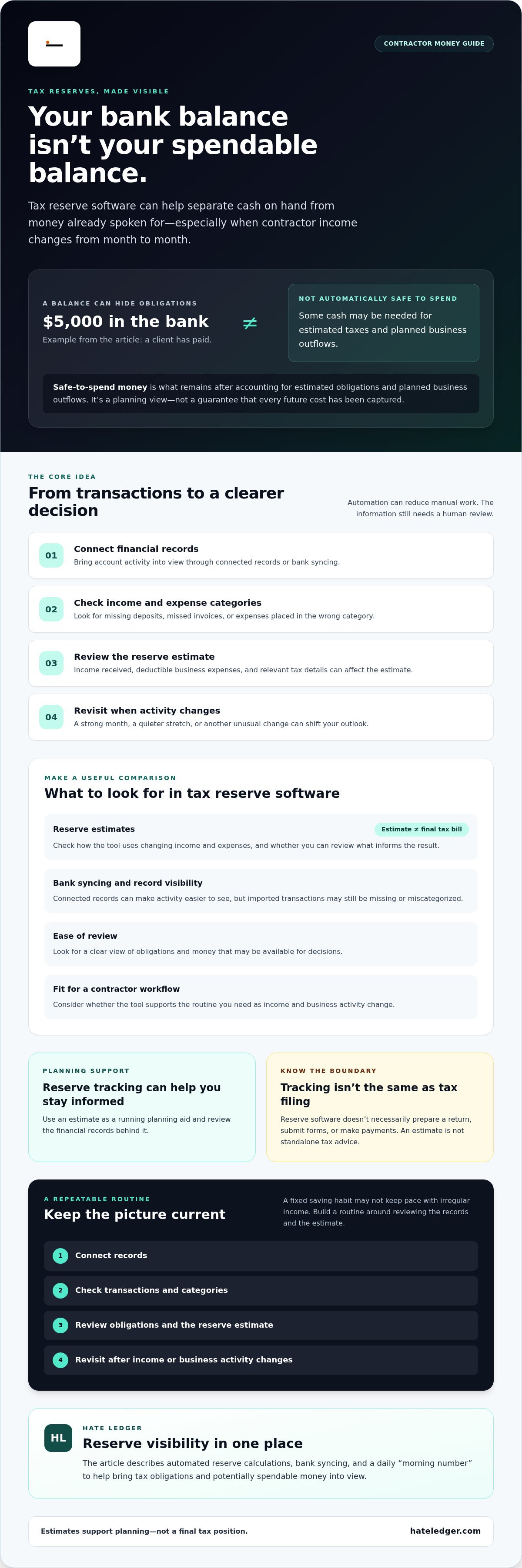
Set up a tax reserve workflow for irregular contractor income
A useful routine shouldn’t become another job. Set up your records, then use short check-ins to catch changes before they create confusion. The goal is a current working estimate, not perfect books maintained by hand.
- Connect the accounts you use for contractor income and expenses. Check that the relevant accounts are included, and note which transactions may need to be added manually.
- Review imported activity. Confirm income and expenses are categorized sensibly. Fix obvious errors, and watch for transfers, duplicate entries, or transactions the software didn’t capture.
- Check the reserve estimate. Look at what changed since your last review. If the number shifted, trace it to new income, expenses, or corrected records.
- Choose a repeatable check-in. Match it to your payment pattern and workload. For example, review after a client payment or set a regular calendar reminder if deposits arrive unpredictably.
For a wider framework on choosing a tool that fits your habits, see this guide to accounting software for people who hate accounting.
How to start without turning bookkeeping into another job
Start with the accounts you actually use for contract work. Don’t connect everything just because you can. Review a sample of imported transactions, correct clear category mistakes, and note anything that needs a closer look. Then choose a check-in rhythm you can keep. The best workflow is one you’ll use after a busy week, not an elaborate system that gets abandoned.
When to review or question a reserve estimate
Recheck the estimate after a large payment, a stretch with unusually low income, a newly identified business expense, or another meaningful change. Investigate missing, duplicate, or miscategorized transactions promptly. Otherwise, a neat-looking estimate can rest on bad inputs.
Periodically compare the software’s records with your bank or card statements. Confirm that transactions are present and balances make sense. If you work with a tax professional, bring questions about the estimate and relevant records to them. Software can organize information and support planning, but it can’t determine how every detail applies to your tax situation.
For contractors, tax reserve software for independent contractors works best as part of a small, repeatable loop: connect, review, check, and adjust. A daily view of revenue, estimated obligations, and potentially spendable money is one way to support that routine. Learn about Hate Ledger’s financial tracking.
Use Hate Ledger to see reserves and spendable money in one place
Hate Ledger is plain-English accounting software for small businesses, self-employed professionals, and contractors. It combines bank syncing with automated tax reserve calculations, then brings key numbers into a daily “morning number”: revenue, tax obligations, and money that may be safely spent. That gives you more than a balance to react to. It gives you a working view of what the balance needs to cover.
For contractors with uneven deposits, that distinction can make everyday decisions clearer. Before taking on a new expense or moving cash elsewhere, check the current view of obligations alongside revenue and potentially spendable money. It’s a practical complement to a reserve estimate, not a promise that the estimate will match your final tax bill. Keep records accurate, review the information, and get qualified tax guidance when your circumstances call for it.
How the “morning number” supports everyday money decisions
A daily snapshot can help turn “There’s cash in the account” into a better question: “What does this cash need to cover?” The “morning number” brings revenue, tax obligations, and safely spendable money into one view, so you can consider a purchase with the reserve in mind. If a client payment or expense changes your financial picture, review the updated information before making a decision. The number is a planning aid, not a guarantee of reserve accuracy or a specific tax outcome.
Is Hate Ledger a fit for your contractor workflow?
Hate Ledger may suit contractors who want a plain-English view of ongoing finances, automated reserve calculations, and bank syncing in one platform. Its daily view is especially relevant if you don’t want to mentally subtract future obligations from your bank balance every time you make a spending decision.
Know the limits. Hate Ledger is software, not a human bookkeeping service, tax preparation service, or tax-filing service. It doesn’t file or submit taxes, and its estimates aren’t standalone tax advice. Check imported records and consult a qualified tax professional about questions specific to your situation.
The Free Forever Tier is described as not requiring a credit card. Plan features and availability can change, so confirm the current details before signing up. If the workflow fits, explore Hate Ledger and its free tier to see whether reserve visibility works for your contractor finances.
Make your next money decision with a clearer picture
A bank balance alone can’t tell you what’s already set aside for taxes. The right tax reserve software for independent contractors helps you track changing income, review reserve estimates, and distinguish potential obligations from money that may be safe to spend. Keep your records accurate, check estimates when your finances shift, and treat software as a planning tool, not a final tax calculation.
Hate Ledger brings automated bank syncing and tax reserve calculations together with a daily “morning number” showing revenue, tax obligations, and safely spendable money. It supports ongoing financial management, but it doesn’t file or submit taxes. The Free Forever Tier is described as requiring no credit card; confirm current availability and terms before signing up.
If you want a clearer view of what you can spend, try Hate Ledger’s free tier. Start with your records, review the numbers, and build a routine that works with your income. Less guessing. More confidence in your next decision.
Frequently Asked Questions
How does tax reserve software work for independent contractors?
Tax reserve software uses financial information to estimate tax obligations and help track money set aside for them. Depending on the tool, you can connect bank accounts, review imported income and expenses, and see an updated estimate as activity changes. Treat the number as a planning aid, not a final bill. Check that transactions are complete and categorized correctly, since missing or misclassified records can make an estimate less useful.
How much should an independent contractor set aside for taxes?
There isn’t one percentage that fits every contractor. Your reserve depends on income, deductible expenses, filing circumstances, and federal, state, and local taxes. For 2026, the federal self-employment tax rate is 15.3%, but that rate covers only self-employment tax, not your full tax obligation. Use an estimate based on your situation and confirm your approach with current tax guidance or a qualified tax professional.
Can tax reserve software handle irregular freelance income?
Yes, it can help track changing income and update a working reserve estimate as new transactions appear. That’s useful when client payments arrive unevenly, but the tool needs complete records to reflect those changes. Check how often it syncs transactions, whether you can add income manually, and how you review categories. After a large payment, a quiet stretch, or a new expense, review the estimate instead of assuming it tells the whole story.
Does tax reserve software file estimated taxes for me?
Usually, reserve tracking and tax payment are separate tasks. Software may estimate what you could owe and help you monitor money set aside, but that doesn’t mean it submits an estimated payment. Check the specific tool’s features and don’t assume a payment has been made unless you’ve confirmed it. Hate Ledger supports ongoing financial management and reserve calculations, but it doesn’t file or submit taxes for you.
Is a tax reserve app the same as tax preparation software?
No. A tax reserve app helps you monitor finances and plan for potential tax obligations during the year. Tax preparation software helps prepare a tax return, and filing features may allow you to submit it. Some products combine functions, while others don’t. Confirm what each tool actually includes. A reserve estimate isn’t a completed return, and financial tracking alone doesn’t replace filing or qualified tax advice.
What information does tax reserve software need to estimate taxes?
It generally needs income and business expense information, plus relevant tax details used in its calculations. That may come from connected financial accounts, transactions you enter, or details you provide directly. Review the categories and check for missing or duplicate activity. If an expense is miscategorized or a client payment never appears in the records, the estimate may not reflect your actual financial picture.
Can I use tax reserve software if I have income from multiple clients?
Yes. You can use tax reserve software for independent contractors with income from multiple clients, provided the relevant payments are included in the records the tool uses. Connect the accounts where you receive contractor income or add transactions the software doesn’t capture. Review deposits to distinguish client payments from transfers or duplicate entries. Keeping all income visible helps make the estimate more useful, but it doesn’t guarantee a final tax amount.
What happens if a software estimate does not match my final tax bill?
A difference can happen because an estimate is based on the information and assumptions available at the time. Check for missing income, incorrect expense categories, changes in your circumstances, or tax details the tool may not account for. Update the records, then review the estimate. For questions about the final amount or how to handle a discrepancy, consult a qualified tax professional. Don’t treat the software estimate as a guaranteed result.
Frequently Asked Questions
Start with the basics: income received, deductible business expenses, and relevant tax details used by the software. A deposit that hasn’t been recorded or an expense placed in the wrong category can change the information used to estimate what you owe. Check imported transactions and categories rather than assuming the feed captured everything correctly. The IRS explains self-employment tax and estimated tax responsibilities in its IRS Self-Employed Individuals Tax Center. Schedule C is part of the federal reporting context for business income and expenses, but forms and instructions can change. Check current IRS guidance for your situation. Federal, state, and local tax rules may differ, so confirm which apply to you with the relevant tax authority or a qualified tax professional.
Prioritize a quick view of income, obligations, and potentially spendable cash. Bank syncing can cut manual entry, but you should still be able to inspect transactions and fix errors. Check access options, support, and plan limits against your actual workflow, not a feature checklist you may never use. For tax reserve software for independent contractors, the practical test is simple: after a payment arrives, can you review the updated estimate and understand what changed? If not, keep comparing. A useful routine shouldn’t become another job. Set up your records, then use short check-ins to catch changes before they create confusion. The goal is a current working estimate, not perfect books maintained by hand. For a wider framework on choosing a tool that fits your habits, see this guide to accounting software for people who hate accounting.
Hate Ledger may suit contractors who want a plain-English view of ongoing finances, automated reserve calculations, and bank syncing in one platform. Its daily view is especially relevant if you don’t want to mentally subtract future obligations from your bank balance every time you make a spending decision. Know the limits. Hate Ledger is software, not a human bookkeeping service, tax preparation service, or tax-filing service. It doesn’t file or submit taxes, and its estimates aren’t standalone tax advice. Check imported records and consult a qualified tax professional about questions specific to your situation. The Free Forever Tier is described as not requiring a credit card. Plan features and availability can change, so confirm the current details before signing up. If the workflow fits, explore Hate Ledger and its free tier to see whether reserve visibility works for your contractor finances. A bank balance alone can’t tell you what’s already set aside for taxes. The right tax reserve software for independent contractors helps you track changing income, review reserve estimates, and distinguish potential obligations from money that may be safe to spend. Keep your records accurate, check estimates when your finances shift, and treat software as a planning tool, not a final tax calculation. Hate Ledger brings automated bank syncing and tax reserve calculations together with a daily “morning number” showing revenue, tax obligations, and safely spendable money. It supports ongoing financial management, but it doesn’t file or submit taxes. The Free Forever Tier is described as requiring no credit card; confirm current availability and terms before signing up. If you want a clearer view of what you can spend, try Hate Ledger’s free tier. Start with your records, review the numbers, and build a routine that works with your income. Less guessing. More confidence in your next decision.
Tax reserve software uses financial information to estimate tax obligations and help track money set aside for them. Depending on the tool, you can connect bank accounts, review imported income and expenses, and see an updated estimate as activity changes. Treat the number as a planning aid, not a final bill. Check that transactions are complete and categorized correctly, since missing or misclassified records can make an estimate less useful.
There isn’t one percentage that fits every contractor. Your reserve depends on income, deductible expenses, filing circumstances, and federal, state, and local taxes. For 2026, the federal self-employment tax rate is 15.3%, but that rate covers only self-employment tax, not your full tax obligation. Use an estimate based on your situation and confirm your approach with current tax guidance or a qualified tax professional.
Yes, it can help track changing income and update a working reserve estimate as new transactions appear. That’s useful when client payments arrive unevenly, but the tool needs complete records to reflect those changes. Check how often it syncs transactions, whether you can add income manually, and how you review categories. After a large payment, a quiet stretch, or a new expense, review the estimate instead of assuming it tells the whole story.
Usually, reserve tracking and tax payment are separate tasks. Software may estimate what you could owe and help you monitor money set aside, but that doesn’t mean it submits an estimated payment. Check the specific tool’s features and don’t assume a payment has been made unless you’ve confirmed it. Hate Ledger supports ongoing financial management and reserve calculations, but it doesn’t file or submit taxes for you.
No. A tax reserve app helps you monitor finances and plan for potential tax obligations during the year. Tax preparation software helps prepare a tax return, and filing features may allow you to submit it. Some products combine functions, while others don’t. Confirm what each tool actually includes. A reserve estimate isn’t a completed return, and financial tracking alone doesn’t replace filing or qualified tax advice.
It generally needs income and business expense information, plus relevant tax details used in its calculations. That may come from connected financial accounts, transactions you enter, or details you provide directly. Review the categories and check for missing or duplicate activity. If an expense is miscategorized or a client payment never appears in the records, the estimate may not reflect your actual financial picture.
Yes. You can use tax reserve software for independent contractors with income from multiple clients, provided the relevant payments are included in the records the tool uses. Connect the accounts where you receive contractor income or add transactions the software doesn’t capture. Review deposits to distinguish client payments from transfers or duplicate entries. Keeping all income visible helps make the estimate more useful, but it doesn’t guarantee a final tax amount.
A difference can happen because an estimate is based on the information and assumptions available at the time. Check for missing income, incorrect expense categories, changes in your circumstances, or tax details the tool may not account for. Update the records, then review the estimate. For questions about the final amount or how to handle a discrepancy, consult a qualified tax professional. Don’t treat the software estimate as a guaranteed result.