
Best QuickBooks Alternatives for Small Business in 2026
September 24, 2026 · 13 min read
QuickBooks was built for certified accountants, not practical operators. Every relentless price hike feels like an insult when you only touch five percent of its bloated features, yet you are still left burning weekend hours balancing accounts and deciphering balance sheets. If you are hunting for genuine quickbooks alternatives for small business, you don't need another expensive labyrinth of complex menus, journal entries, and confusing jargon.
You run a business, not a bookkeeping firm. You just want to know how much cash you can safely spend today without doing manual math, and you want to know it without stressing over a surprise tax bill. This guide reveals the top QuickBooks alternatives that eliminate accounting jargon and give you instant financial clarity in minutes each week instead of hours. We break down the leading platforms for 2026, cutting through the marketing noise so you can choose an intuitive tool that protects your time and keeps audit-ready records effortlessly.
Key Takeaways
- Discover which quickbooks alternatives for small business strip away double-entry jargon and calculate your safe spendable cash automatically.
- Learn why legacy platforms keep raising prices for bloated enterprise features that everyday operators never touch.
- Match software directly to your actual operational model so you don't overpay for tools your business doesn't need.
- Execute a clean data migration at quarter-end without dragging years of messy chart-of-accounts clutter into your new system.
Why Small Businesses Are Leaving QuickBooks in 2026
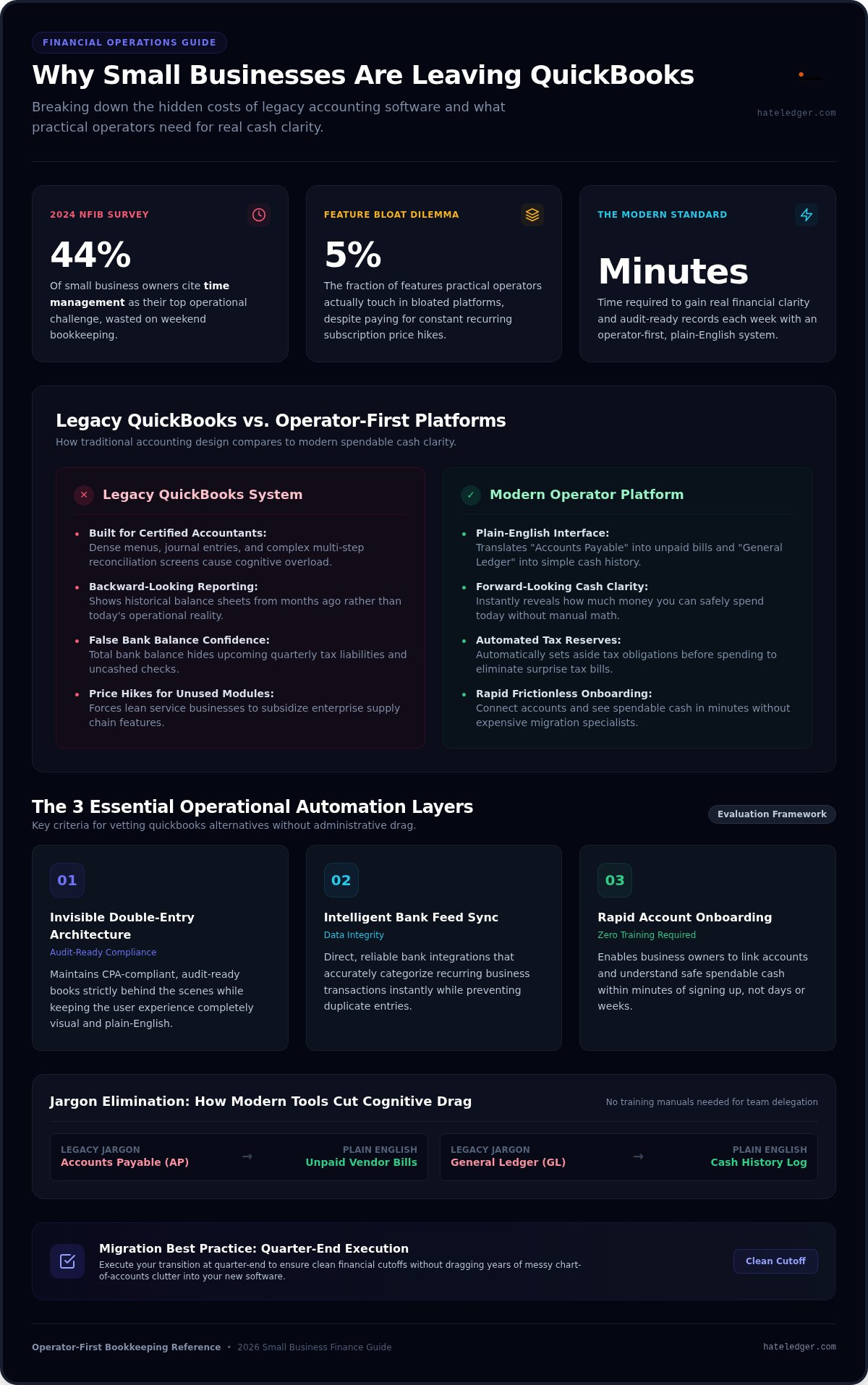
Running a company requires rapid, confident decisions. Yet traditional bookkeeping platforms force operators to look backward instead of forward. According to a 2024 NFIB survey, 44% of small business owners cite time management as a top operational challenge. Spending that scarce time untangling debits, credits, and balance discrepancies on a Sunday afternoon is bad business. That reality is driving a massive search for modern quickbooks alternatives for small business that actually respect an owner's schedule.
The Problem with Software Built for Accountants
Legacy accounting software was designed for certified accountants, not practical operators. Every menu structure, button, and report assumes you understand formal bookkeeping rules. When an interface buries basic cash visibility beneath journal entries and multi-step reconciliation screens, cognitive overload sets in fast.
There is a massive difference between keeping compliant records for tax day and understanding daily operational cash flow. Traditional workflows prioritize historical balance sheets that tell you what happened two quarters ago. Founders need to know what they can safely spend this afternoon without jeopardizing payroll or upcoming tax liabilities. For a deeper breakdown of how to remove this friction, read our guide on accounting software for people who hate accounting.
The True Cost of Feature Bloat and Constant Price Hikes
Recurring subscription hikes continue to punish growing companies. For a lean service business, rising software fees feel like a direct tax on growth, particularly when you pay for enterprise modules you never touch. Heavy platforms crowd the user experience with complex supply chain modules and dense navigation trees that slow down basic invoicing.
The hidden costs run even deeper. When tools are unnecessarily complicated, founders often feel forced to hire outside bookkeepers just to translate screens and fix accidental entry errors. Evaluating genuine quickbooks alternatives for small business allows you to cut the dead weight, protect your profit margins, and reclaim your working hours.
Key Criteria to Evaluate QuickBooks Alternatives
Most reviews judge software by how many enterprise features it can pack into a sidebar. That is backward. When vetting quickbooks alternatives for small business, the goal is not acquiring more dials to turn; it is eliminating administrative drag entirely. The best platform simplifies how you track numbers so you can protect your margins and effortlessly manage your business finances without outside hand-holding.
Plain English Interface vs. Bookkeeping Jargon
Traditional accounting platforms force operators to decode terminology meant for certified public accountants. Terms like "Accounts Payable" or "General Ledger" unnecessarily obscure basic operational realities like unpaid vendor bills and cash history. Plain-language tools eliminate costly data entry mistakes and allow founders to delegate financial logging to team members in minutes, without a single training manual.
Backward-Looking Reports vs. Forward-Looking Cash Clarity
A standard profit and loss statement shows what happened last month. It does not tell you if you can afford a new hire this morning. Looking solely at a high total bank balance creates false confidence, often hiding quarterly tax liabilities and uncashed checks. Proactive tools calculate your real daily spendable balance by automatically setting aside money for tax obligations before you spend, as detailed in our guide to the automated tax reserve for self-employed.
Automation Capabilities and Friction-Free Setup
Legacy systems often require expensive migration specialists or weeks of painful setup. Evaluating real automation means checking three specific operational layers:
- Invisible double-entry architecture: The software maintains audit-ready, CPA-compliant books behind the scenes while keeping your user interface entirely visual and plain-English.
- Intelligent bank feed sync: Reliable bank connections categorize recurring transactions instantly and prevent duplicated data entries.
- Rapid onboarding: You should connect your accounts and understand your spendable cash balance within minutes of signing up, not days.
If you want clear operational visibility without the accounting homework, exploring modern platforms like Hate Ledger helps you ditch the jargon while keeping your books pristine.
The Top QuickBooks Alternatives for Small Business Compared
Most reviews of the Best QuickBooks Alternatives treat all accounting software like interchangeable commodity toolkits. They evaluate feature checklists rather than daily operational reality. The truth is that many traditional competitors simply clone Intuit's clunky interface, trading one complex web of ledgers for another. Finding effective quickbooks alternatives for small business requires choosing a system that matches how your business actually functions.
Xero: The Corporate Giant for Complex Multi-Currency Needs
Xero positions itself as the primary alternative for established operations. Its strengths lie in powerful multi-currency support, advanced project tracking, and an extensive ecosystem of third-party apps. That scale comes with serious friction. The menu architecture remains dense, requiring significant onboarding time and traditional accounting knowledge. It fits mid-sized operations with internal finance staff, but solo founders often find it overwhelming. You can explore simpler options in our guide to the best Xero alternatives for freelancers.
Wave: The Barebones Entry Option for Micro-Invoicing
Wave serves early-stage freelancers and side hustlers who need simple invoicing without overhead. Creating branded bills and processing basic customer payments is clean and accessible. Its weaknesses surface quickly as your volume grows. The platform lacks forward-looking cash forecasting, offers minimal operational guidance, and scales transaction fees quickly. It handles basic past transactions adequately, but it does not tell an owner what financial moves to make tomorrow.
Hate Ledger: The Plain-English Decision Engine for Operators
Hate Ledger replaces traditional accounting bureaucracy with instant operational clarity. Instead of requiring you to decipher balance sheets, it calculates an automated daily morning number showing exactly what you can safely spend today. Behind the scenes, invisible double-entry architecture maintains strict audit readiness for your CPA without exposing you to confusing debits and credits.
The platform actively protects your company by isolating tax reserves automatically on every dollar of revenue. With tools like the Human Capital ROI Engine, you can model payroll costs and strategic hires based on genuine cash capacity rather than guesswork. You can start immediately on the Free Forever Tier without entering a credit card.
How to Choose the Right Tool for Your Business Model
Buying software designed for a company ten times your size is an expensive operational trap. Most enterprise-grade platforms sell complex toolkits built for multinational corporations, not lean teams. When filtering through quickbooks alternatives for small business, the goal is simple: select a platform that fits your exact workflow without forcing you to spend five hours a week acting as an unpaid data entry clerk.
Freelancers, Contractors, and Solo Operators
Solo operators need speed and safety. Your primary demands are sending fast client invoices, logging project expenses, and keeping your personal funds cleanly separated from company cash. You do not need a multi-layered chart of accounts. Managing nested sub-accounts only introduces errors, leading to balance discrepancies that derail your focus. Solo founders need instant visibility into safe spending and automatic tax set-asides, ensuring quarterly tax payments never trigger an emergency.
Service Agencies, Consultancies, and Growing Teams
Growing agencies face entirely different operational pressures. Tracking contractor costs, monitoring recurring retainer income, and deciding when to make key hires are critical to survival. Evaluating payroll affordability should not be an educated guess based on gut feelings.
Tools equipped with strategic insights, such as Hate Ledger's Human Capital ROI Engine, turn hiring decisions into hard data. They show you exactly what an additional team member costs against your true net margin. When your software acts as an automated operational guide, you avoid committing to overhead you cannot sustain.
Product Sellers vs. Pure Service Providers
Your business model determines what tools you genuinely need. Before you pick a platform, draw a clear line between physical and service operations:
- Physical product companies: If you run a warehouse, manage physical assembly lines, or track raw material supply chains, you legitimately need heavy enterprise software or specialized stock tools.
- Pure service businesses: If you sell expertise, consulting, creative work, or digital products, paying for warehouse modules is a total waste of capital.
Service providers thrive on cash velocity and lean operations. To gain real financial control without unnecessary complexity, get started on Hate Ledger today and protect your bottom line.
How to Migrate from QuickBooks Without Breaking Your Books
Leaving legacy software feels intimidating because enterprise vendors convince you that your books will shatter if you leave. They won't. The primary mistake founders make when adopting modern quickbooks alternatives for small business is dragging years of corrupted transaction tags, duplicate vendors, and broken sub-accounts into a fresh workspace. Moving forward requires a clean break. Pick a clear cutoff date, like the end of a month or quarter, and leave the historical clutter behind.
Step 1: Export Essential Data and Purge Historical Clutter
Resist the temptation to migrate every historical journal entry from the past five years. You only need three core master files: your current customer list, active vendor details, and outstanding unpaid invoices. Everything else belongs in an archive. Download your past tax returns, general ledgers, and profit-and-loss reports as static PDFs. Store them securely in your cloud drive for tax compliance. Your new system stays lean, fast, and entirely free of old accounting errors.
Step 2: Connect Live Bank Feeds and Set Opening Balances
Establish your official transition date to lock in a fresh start. Securely connect your business checking, savings, and credit card accounts through direct bank feeds. Look at your bank statement from your chosen cutoff date, enter that exact ending balance as your opening balance, and verify the figures match. That single verification step guarantees immediate financial accuracy without forcing you to spend days hunting down mysterious cent-level discrepancies from three years ago.
Step 3: Establish Your Daily Spendable Cash Routine
Once your bank feeds sync, configure your operational guardrails. Set your platform to isolate automated tax reserves whenever client revenue arrives so quarterly obligations are protected before spending occurs. Trade the dreaded weekend reconciliation marathon for a sixty-second daily check of your safe spendable balance. When tax filing comes around, invite your CPA to view your audit-ready backend records, then cancel your old subscription permanently.
Stop Managing Ledgers and Start Running Your Business
You didn't start a company to spend your weekends balancing general ledgers or absorbing relentless price hikes for enterprise features you never touch. Vetting modern quickbooks alternatives for small business is about choosing operational momentum over bureaucratic busywork. You need a system that delivers immediate clarity rather than forcing you into unnecessary administrative chores.
Real financial control means checking an automated morning number to see your safe spendable cash in seconds. It means automated tax reserves that eliminate quarterly surprises, paired with an invisible double-entry architecture that keeps your accountant satisfied without giving you a headache. Stop settling for bloated legacy systems that drain your energy. Start using Hate Ledger for free and take back your financial sanity. You built a business to create value, so choose software that protects your time and lets you focus on growth.
Frequently Asked Questions
Is there a free QuickBooks alternative for small business?
Yes, several quickbooks alternatives for small business offer genuinely free entry tiers. For instance, Hate Ledger provides a Free Forever Tier that requires no credit card to start. It tracks transactions and calculates safe spendable cash without locking you into surprise price increases. Other options like Wave offer zero-cost manual invoicing tiers, meaning you don't need to pay high monthly fees just to keep basic records.
Can I switch from QuickBooks in the middle of a tax year?
Yes, you can switch platforms at any point during the tax year. The cleanest method is transitioning at the close of a calendar month or quarter. You simply reconcile your accounts up to that date, export current balances and open invoices, and input your opening numbers into the new platform. You don't need to rebuild past months or disrupt active client payments.
What is the easiest accounting software for someone who hates math?
Hate Ledger is designed specifically for business owners who dislike traditional bookkeeping and complex math. Instead of forcing you to balance ledgers or decipher debits and credits, it translates your banking activity into plain English. Every morning, it gives you a single morning number that reveals your safe spendable balance after automatically setting aside money for tax obligations.
Will my accountant be angry if I leave QuickBooks?
No, your accountant cares about clean, accurate data, not software brand names. Most accountants actually dread fixing QuickBooks messes created when non-accountants miscategorize entries in complex ledgers. Modern platforms use invisible double-entry architecture. You work in simple, plain-English screens while the software generates standard trial balances and compliant financial reports your CPA can download at tax time without complaints.
What happens to my old QuickBooks data after I cancel my subscription?
Intuit typically maintains read-only access to your canceled account for one year before deleting it permanently. You should never leave your compliance to chance. Before hitting cancel, download your historical profit-and-loss reports, balance sheets, general ledgers, and past tax returns as static PDFs. Keep them stored safely in your company records to satisfy any potential tax audit requirements.
How much time should a small business owner spend on bookkeeping each week?
You shouldn't spend more than ten to fifteen minutes a week managing financial records. If you are burning entire weekend afternoons wrestling with spreadsheets, your software is failing you. The best quickbooks alternatives for small business automate bank categorization and calculate spendable cash instantly, leaving you with just a sixty-second daily check to stay completely in control.
Do I need double-entry accounting if I run a service business?
Yes, your tax preparer and the tax authorities require double-entry integrity to verify your books during an audit. You just shouldn't have to manage it manually. Modern tools use an invisible double-entry system behind the scenes. You track money using straightforward business terms, while the engine builds balanced debits and credits automatically under the hood.
Frequently Asked Questions
Yes, several quickbooks alternatives for small business offer genuinely free entry tiers. For instance, Hate Ledger provides a Free Forever Tier that requires no credit card to start. It tracks transactions and calculates safe spendable cash without locking you into surprise price increases. Other options like Wave offer zero-cost manual invoicing tiers, meaning you don't need to pay high monthly fees just to keep basic records.
Yes, you can switch platforms at any point during the tax year. The cleanest method is transitioning at the close of a calendar month or quarter. You simply reconcile your accounts up to that date, export current balances and open invoices, and input your opening numbers into the new platform. You don't need to rebuild past months or disrupt active client payments.
Hate Ledger is designed specifically for business owners who dislike traditional bookkeeping and complex math. Instead of forcing you to balance ledgers or decipher debits and credits, it translates your banking activity into plain English. Every morning, it gives you a single morning number that reveals your safe spendable balance after automatically setting aside money for tax obligations.
No, your accountant cares about clean, accurate data, not software brand names. Most accountants actually dread fixing QuickBooks messes created when non-accountants miscategorize entries in complex ledgers. Modern platforms use invisible double-entry architecture. You work in simple, plain-English screens while the software generates standard trial balances and compliant financial reports your CPA can download at tax time without complaints.
Intuit typically maintains read-only access to your canceled account for one year before deleting it permanently. You should never leave your compliance to chance. Before hitting cancel, download your historical profit-and-loss reports, balance sheets, general ledgers, and past tax returns as static PDFs. Keep them stored safely in your company records to satisfy any potential tax audit requirements.
You shouldn't spend more than ten to fifteen minutes a week managing financial records. If you are burning entire weekend afternoons wrestling with spreadsheets, your software is failing you. The best quickbooks alternatives for small business automate bank categorization and calculate spendable cash instantly, leaving you with just a sixty-second daily check to stay completely in control.
Yes, your tax preparer and the tax authorities require double-entry integrity to verify your books during an audit. You just shouldn't have to manage it manually. Modern tools use an invisible double-entry system behind the scenes. You track money using straightforward business terms, while the engine builds balanced debits and credits automatically under the hood.